


TikTok Studio
4.65.17K Reviews
App Specs
- Version
- 44.6.3
- Updated On
- License
- Free
- Downloads
- 100,000,000+
- Developer
- TikTok Pte. Ltd.
- Categories
- Video Players & Editors
- Platform
- Android, iOS
Screenshots
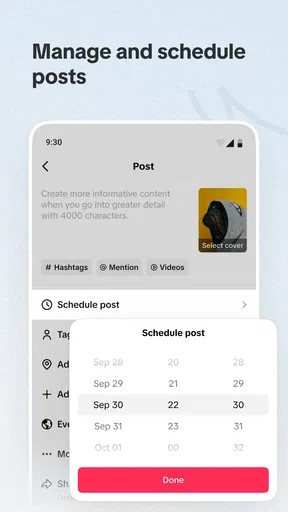
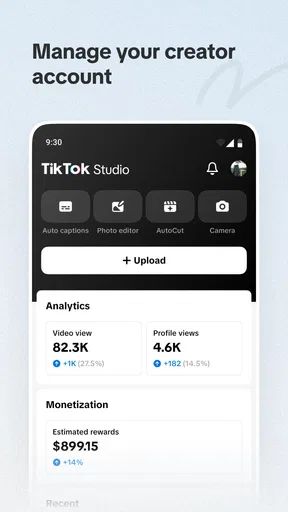
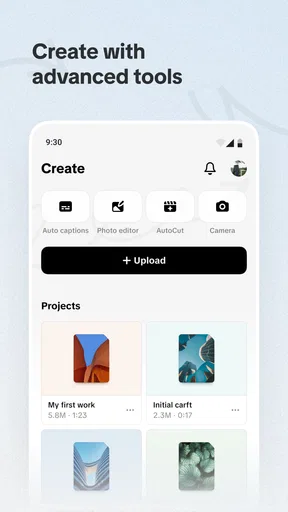
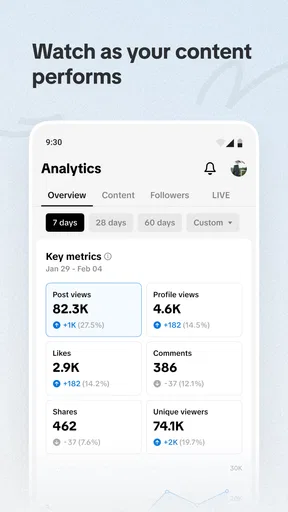
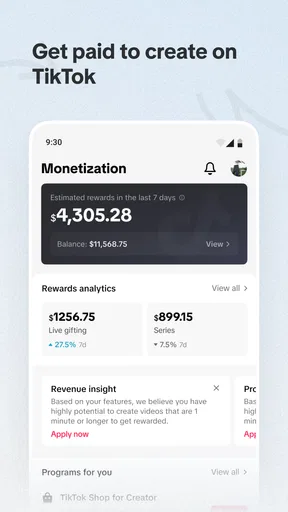
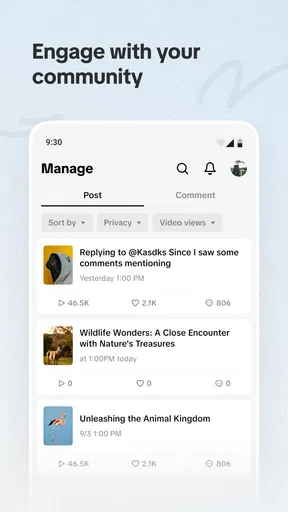
 Analysis by AppCompare
When I first heard about TikTok Studio, I was curious about how it could enhance the experience of creating content on the already popular TikTok platform. After spending some quality time exploring its features, I’ve got some thoughts to share with you.
First, be clear about the job you want it to do
The name can set the wrong expectation: this is not simply another general-purpose video editor that happens to export clips for TikTok. TikTok Studio is a video players and editors app from TikTok Pte. Ltd., and its clearest appeal is to people who make content for TikTok and want their creative work connected to that platform. I’d treat it as a companion for a publishing routine, not as a guaranteed replacement for every editing app or every part of TikTok.
That distinction matters before you install it. If you mainly watch videos, follow creators, or occasionally trim a clip for a family chat, a dedicated creator workspace may be more than you need. If you regularly plan, make, and publish posts, though, having a tool aimed at that cycle can be useful. The app is free, is rated for Teen users, and needs Android 6.0 or later; those basics make it accessible to many people, but they do not mean every device will feel equally comfortable for editing.
Where people can get stuck
My first practical advice is to approach the app with one small, complete task rather than trying to learn everything at once. Pick a short clip, decide what you want to change, and follow it through toward a finished post. That gives you a sensible way to understand the layout and notice where editing ends and publishing begins. A large set of tools can look inviting, but exploring every control before you have a project in mind is an easy way to feel lost.
It also helps to separate creative decisions from technical ones. Before opening an editing screen, know the point of your video, the clip you want to use, and whether you need text or sound. I find that simple preparation keeps me from tapping around without purpose. If something is hard to locate, pause and return to the task you are trying to finish; a focused workflow is more useful than assuming that every option needs to be learned on day one.
Unleashing Creativity with TikTok Studio
If you’re like me and love experimenting with videos, TikTok Studio is going to feel like a playground. It offers a suite of editing tools that are not just powerful but also incredibly user-friendly. The interface is sleek, making it easy to navigate and find the tools you need without any fuss. Whether you’re a newbie or a seasoned content creator, you’ll appreciate the intuitive design.
Features That Stand Out
One of the standout features is the multi-track editing. You can layer videos, audio, and effects to create something truly unique. Imagine having the power to edit your clips with precision, adjusting everything from transitions to timing with just a few taps. The ability to add text overlays and stickers is seamless, and they’ve got a wicked collection to choose from.
Worth Reading Before You Choose

Flipboard Shows What News Apps Must Do Beyond the Feed

Switching to Android Auto Means Rethinking Your Driving Routine

Google Calendar Makes a Crowded Week Easier to Manage

Ludo King Makes the Most of the Minutes Between Plans

Baby Panda World Brings Quick Play to Modern Phones, but Its Game Library Feels Busy

ESPN’s Live Game View Makes Following Close Games Easier
Another gem is the audio library, which is packed with a variety of tunes and sound effects. It’s like having a DJ booth at your fingertips. You can easily sync your videos with the beats, making your content pop and engaging for your audience.
Setup checks that save time
Before settling into a longer edit, I’d check the simple things that commonly interrupt mobile work. Is the clip you mean to use available on the device? Is there enough room to keep working without having to stop and clear space halfway through? Is your connection behaving if you are moving toward a connected publishing step? These are ordinary checks, but they help distinguish an editing problem from a file, storage, or network problem.
I’d also keep the first project modest. A short test lets you learn the controls without investing time in a complicated idea, and it gives you a chance to review the finished result before committing to a bigger workflow. If you are working on a phone, make sure you can comfortably see the timeline and preview; small adjustments are harder when you are rushing or trying to edit in a distracting setting.
Build a repeatable editing rhythm
Multi-track editing is most useful when each layer has a clear purpose. For a quick explainer, for example, I’d place the main footage first, then add only the text that helps someone follow the point, and finally consider whether sound improves the pacing. That order makes it easier to spot when an effect is covering the subject or when a text overlay is competing with the audio. More layers do not automatically make a video better.
One non-obvious trade-off is that a convenient in-app audio choice can make a draft feel finished before you have checked it with the sound off. I like to watch a near-final clip both ways: with its chosen audio and muted. That quick review is useful for catching text that appears too briefly or a visual point that only makes sense when explained aloud. It is a simple habit, but it can make a post easier to understand in more viewing situations.
For a realistic everyday routine, imagine recording a few short clips during a lunch break for a small business or a personal hobby account. I would choose the strongest moment first, trim the idea down to one clear point, add a brief label only if it genuinely helps, and preview the whole sequence before sharing. The advantage is a focused process; the limitation is that a phone-sized workspace and a short break are not ideal for detailed, frame-by-frame polish.
Sharing, collaboration, and choosing the right tool
Once your masterpiece is ready, sharing it on TikTok or other social media platforms is a breeze. The app integrates smoothly with TikTok, ensuring that your videos maintain their quality and look just as you intended. Plus, if you’re collaborating with other creators, the shared workspace feature is a game-changer. It allows multiple users to work on the same project simultaneously, which is perfect for team projects or when you’re brainstorming ideas with friends.
In practice, I would still make the final review a deliberate step rather than assuming that a quick export or handoff will settle every detail. Check the opening, the ending, the text, and the sound in the finished version. If another person is involved, agree on who makes the final choices before the post is ready; clear responsibility prevents a promising collaboration from turning into a confusing round of last-minute edits.
Compared with the usual alternatives, a specialist editor may suit you better when you need a highly controlled, reusable editing process that is not tied to one social platform. A basic phone editor can be quicker for a simple trim. TikTok Studio makes more sense when your destination is TikTok and you value a creator-oriented workflow over a broad set of advanced production controls. I would not choose it solely because I expect every video task to be easier inside one app.
When a snag is not necessarily the app
If an edit seems to stall, I would first identify which part is failing: opening a clip, adjusting it, previewing it, or moving toward sharing. Try the same step with a short, uncomplicated project. If that works, the original task may be the issue rather than the whole app. If the trouble appears only when you are trying to publish, check the connection and retry when it is stable instead of repeatedly changing the edit itself.
For a general recovery routine, save your creative decisions outside the moment when you are stuck: note the intended clip order, text, and audio choice, then reopen the task calmly. Avoid making several changes at once, because that makes it difficult to tell what helped. Keeping the app and device software reasonably current is sensible, too, but I would not assume an update will fix every problem; a missing file, low available storage, or unstable connection can produce similar frustration.
Performance is also a question of workload and device, not just the app. A project with more visual and audio layers asks more of a phone than a quick trim, and a device that is busy with other tasks may feel less responsive. If the timeline becomes uncomfortable, simplify the edit or break the work into smaller decisions. For precision work that demands a large display and extended concentration, I would move to a desktop editor rather than fight a small screen.
What About Performance?
Performance-wise, TikTok Studio runs like a charm on both Android and iOS devices. I didn’t experience any lag or crashes, even when working on larger projects. The app is optimized to handle high-resolution videos, which is a huge plus if you’re aiming for top-notch quality. Just make sure your device is up-to-date to enjoy the smoothest experience possible.
The only thing to keep in mind is that the app might feel a bit overwhelming at first due to its plethora of features. But trust me, once you get the hang of it, you’ll be creating like a pro in no time.
Who will get the most from it
I see the strongest fit for regular TikTok creators who want to make and refine videos on their phone, especially people who benefit from arranging footage, audio, and visual elements in one editing session. It can also suit a small team or a pair of collaborators when the shared-work approach matches how they already plan content. For a new creator, the friendliest way in is to make one simple post and add complexity only when a real need appears.
I would skip it if your main goal is watching TikTok, if you rarely create video, or if your work depends on detailed production controls and a spacious desktop timeline. It may also be the wrong choice if you want one editor that treats every social destination the same way. The best reason to use it is not that it promises to make every task effortless; it is that its TikTok focus may make a TikTok-centered routine feel more direct.
A useful way to decide
For someone weighing the download, its reach suggests that many people have tried it: it has more than 50 million installs and a 4.7 average from around 395 thousand ratings. Those figures are a useful sign of broad uptake, not a guarantee that it will fit your habits or device. The app is free, and its current version is 41.9.2, so I would start by testing a real but low-stakes project rather than judging it from a list of tools.
One question people often have is whether they need to be an experienced editor. I don’t think so: a short clip with one clear message is enough to learn the basic rhythm. Another is whether it replaces a full desktop editor. For casual and platform-focused work it may cover what you need, but it is not my pick for elaborate productions where a larger workspace and deeper control matter more than convenience.
If a project does not behave as expected, ask whether the problem follows the clip, the editing step, or the publishing step. That simple distinction guides the next move: try a simpler file for an editing issue, review available space if work is interrupted, or check the connection when sharing is the only sticking point. It is more effective than randomly changing settings and losing track of what you were trying to fix.
Final Thoughts
In conclusion, TikTok Studio is a powerhouse for anyone looking to elevate their TikTok game. It’s packed with features that cater to both beginners and advanced users, making it accessible and fun for everyone. So, if you’re ready to take your content creation to the next level, I’d definitely recommend giving it a try. Who knows? You might just create the next viral sensation!
Pros
- Intuitive editing tools enhance creativity.
- Wide range of effects and filters available.
- Seamless integration with TikTok platform.
- Supports high-resolution video exports.
- User-friendly interface for all skill levels.
Cons
- Limited advanced editing features for pros.
- May require high-performance device specs.
- Occasional lags during video processing.
- Some features locked behind a paywall.
- In-app tutorials could be more detailed.
FAQs for TikTok Studio
What is TikTok Studio and how does it differ from the regular TikTok app?
TikTok Studio is a specialized version of the popular TikTok app designed for content creators looking to enhance their video production quality. It offers advanced editing tools, such as multi-track editing, special effects, and enhanced audio features, providing more flexibility and creativity compared to the standard TikTok app.
Is TikTok Studio available for both Android and iOS devices?
Yes, TikTok Studio is available for both Android and iOS platforms. Users can download it from the Google Play Store or Apple App Store. Ensure your device meets the minimum system requirements for optimal performance and to access all features without any issues.
Are there any costs associated with using TikTok Studio?
TikTok Studio is free to download and use. However, it may offer in-app purchases or subscriptions for additional features, such as exclusive effects or advanced editing tools. Be sure to check the app description in the store for detailed information on any potential costs.
Can I use TikTok Studio to edit videos that were not recorded on the app?
Absolutely! TikTok Studio allows you to import videos from your device's gallery, enabling you to edit content regardless of where it was originally recorded. This flexibility helps creators enhance their existing footage with TikTok Studio's advanced editing tools and effects.
How secure is my data when using TikTok Studio?
TikTok Studio follows the same privacy and security protocols as the standard TikTok app. It is important to review TikTok's privacy policy to understand how your data is used and protected. Always ensure your account settings are configured according to your privacy preferences.


